Ultimate Guide to Buying a Used Tesla: Tips and Tricks
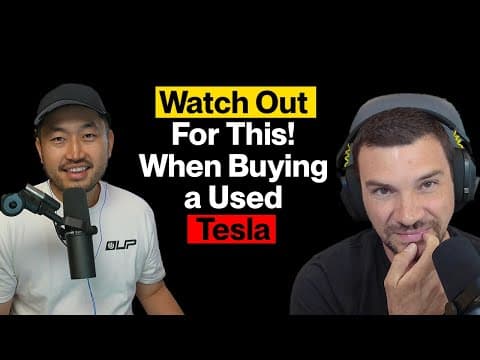
Hey everyone, DennisCW here! Welcome to another deep dive into the world of electric vehicles. In episode six of The Breakdown, my co-host Chip and I tackled a topic that many of you have been asking about: what to watch out for when buying a used Tesla. Whether you're a first-time EV buyer or a seasoned Tesla owner looking to add to your collection, this guide is packed with insider knowledge to help you navigate the used Tesla market like a pro. Let’s break it down—no fluff, just the facts!
Step 1: Start Your Search Online with the Right Tools
When you're ready to buy a used Tesla, the first step is figuring out what model fits your needs and budget. Let’s say you’ve narrowed it down to a Tesla Model 3 under $25,000. Where do you start looking? Online, of course! Websites like CarGurus, Autotrader, Carfax, and Edmunds are goldmines for inventory. Each platform offers unique insights:
- CarGurus provides an AutoCheck report and market analysis to see how the price stacks up against competitors.
- Carfax gives you a free vehicle history report, including accidents, title status, and ownership history.
- Autotrader and Edmunds often have additional market data or unique listings.
Pro Tip: Don’t stick to just one site. Not every dealer lists on all platforms, so you might find a hidden gem on Autotrader that’s not on CarGurus. Once you’ve found a few options, dig into the vehicle description pages (VDPs) for details like days on the market, price drops, and history reports. This data can save you from wasting time on a lemon before you even step foot on a lot.
Step 2: Decoding the Carfax and AutoCheck Reports
The history report is your first line of defense when buying a used Tesla. Here’s what to look out for on a Carfax or AutoCheck report:
- Accidents: Minor accidents might not be a dealbreaker, but moderate to severe damage or frame issues should make you think twice. Interestingly, Tesla damage beyond minor often results in the car being totaled by insurance companies, so “minor” on a report usually means just that.
- Ownership History: Was it a rental? Rental cars are often driven hard, which can impact longevity.
- State of Origin: Be cautious of cars from hot states like Arizona, New Mexico, or Nevada. Heat soak can degrade batteries faster, and we’ve seen higher failure rates from these regions. Similarly, California cars might have been supercharged frequently, which isn’t great for battery health. On the flip side, some buyers avoid Northeast cars due to rust concerns.
- Title Status: Ensure it’s a clean title with no structural damage or airbag deployment history.
Insider Note: Carfax and AutoCheck don’t always overlap in data. Check both for a fuller picture. Also, reports can sometimes be adjusted (e.g., downgrading accident severity), so take them with a grain of salt and verify with a physical inspection.
Step 3: Physical Inspection—What to Check Before You Buy
Once you’ve narrowed down your options and reviewed the history, it’s time to see the car in person. Here’s a checklist Chip and I swear by:
Exterior and Structural Checks
- Paint and Panels: While paint meters can detect repaints, they’re expensive and tricky to interpret since even factory Teslas have paint variations. Focus on major accident red flags rather than minor cosmetic repaints.
- Tires and Wheels: Check tire condition and look for bent wheels, especially on cars from pothole-heavy areas like the Northeast.
- Glass: Inspect the panoramic sunroof and rear glass for chips or cracks. Repairs for these can cost around $1,000 or more.
- Suspension: Turn the steering wheel left and right with your foot off the brake. Listen for creaking or groaning, which could indicate worn upper control arms (common after 60-70k miles).
Battery Health
Battery health is a top concern for used Tesla buyers. Here’s how to assess it:
- Range Calculation: Check the current range and percentage on the display. Divide the mileage by the percentage and multiply by 10 to estimate the range at 100% charge. Compare this to the original rating of the model.
- Warranty: Tesla’s battery warranty (8 years/100k-120k miles) covers significant degradation (typically below 70%). If the car’s under warranty, you’ve got some protection.
- Third-Party Reports: Dealers might use tools like Recurrent or Verse New for battery health reports, but as a consumer, your best bet is the range calculation. Unfortunately, comprehensive battery data isn’t widely accessible, and Tesla’s own 24-hour degradation test is impractical for most buyers.
Note: There’s no definitive “good” or “bad” battery health number since comparative data isn’t widely available. Don’t get too hung up on a specific percentage—focus on whether the range meets your needs.
Test Drive Tips
- Drive Straight: Ensure the car tracks straight with no vibrations. Vibrations could indicate bent wheels or tire issues.
- Motor Mounts: Shift between drive and reverse with small lurches to check for motor mount wear (common on rear-wheel-drive models). Repairs can cost $1,400-$2,800.
- Brakes: Listen for squeaks or grinding. Tesla brakes can last up to 150k miles thanks to regenerative braking, but corrosion from sitting or lack of use can damage rotors. Use the brake burnishing feature in the service menu to clean them up if needed.
Interior and Electronics
- Seat Switches: These are often cheap plastic and prone to breaking—test them all.
- Bluetooth: Sync your phone during the test drive to ensure the antenna (in the driver’s side mirror) isn’t damaged.
- Software/Hardware: Check the software screen for installed features like Full Self-Driving (FSD) or CCS charging. Confirm the hardware (Intel vs. AMD chips) if it matters to you, though the difference in UI speed is minimal unless comparing very old to very new models.
Step 4: Supercharging History and Mileage Concerns
A common question is whether you can tell if a Tesla has been supercharged excessively, as frequent supercharging can stress the battery. Unfortunately, there’s no direct way to access this data. However:
- Check the “last charge” history in the menu to see recent supercharging activity. It’s a good conversation starter with the seller.
- Use deductive reasoning: Cars from high-supercharging areas (like parts of California) or high-mileage rental cars (e.g., 60k miles in 2 years) are more likely to have been supercharged often.
On mileage, aim for a sweet spot. Anything over 20k miles per year is high, while under 10k per year is low. A 3-year-old car with 45k miles is reasonable, but 100k miles in 2 years is excessive and likely to come with future issues.
Pro Tips of the Week
Dennis’ Tip: Tesla drops prices on used inventory just like they do on new cars. Vehicles under $25k get snatched up fast, so use price-tracking websites to get notified of drops on models you’re eyeing. Sign up for alerts and act quickly!
Chip’s Tip: Watch out for service department pricing tricks. Some large dealer groups use a “labor matrix” where hourly rates increase with more booked hours (e.g., $147/hour for 1 hour, but $178/hour for 3-4 hours). Parts pricing can also be marked up excessively on smaller items (like bolts) compared to MSRP. Always check your repair orders and call out discrepancies—don’t let them take advantage of you!
Bonus: Free Tesla Health Check with Amber
Here’s a game-changer for used Tesla buyers: our podcast partner, Amber, offers free remote inspections for your Tesla. Using the same diagnostic tools as Tesla service centers, they can check your battery, drive unit, and other components without a dealership visit. It’s fast, remote, and could save you thousands in surprise repairs. Hit the link in the video description to get your free checkup and learn about Amber’s EV-specific protection plans. I’ve run diagnostics on all my Teslas just for peace of mind—don’t miss out!
Final Thoughts: Where to Buy
The used Tesla market is competitive, so choose your seller wisely. Consider specialty EV dealerships that do the research for you, or large dealers with high volume for local trade-ins. If buying from a private seller or small dealer, insist on a pre-purchase inspection. And don’t overlook local mom-and-pop dealers—check their Yelp or Google reviews for credibility. They often prioritize customer satisfaction as their bread and butter.
Buying a used Tesla doesn’t have to be daunting. Arm yourself with these tips, do your homework, and you’ll drive away with a great deal. Got questions or personal experiences to share? Drop them in the comments or fill out the form linked below for our EV Owner Sound Off segment. Don’t forget to like, subscribe, and hit that notification bell for more no-fluff EV content. Until next time, keep those EVs on the road!
-DennisCW