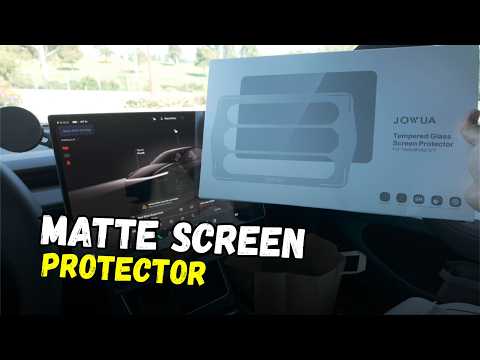
The massive Tesla touchscreen picks up fingerprints faster than an iPad left in a toddler's hands. That's exactly why the Jowua matte screen protector Model Y is the only one worth buying.
I kept the factory sticker on my 2026 Model Y Performance for five months. It looked terrible. Switching to the matte version instantly fixed the smudge problem and gave the screen a premium feel under my finger.
Why Matte Beats Glossy
Glossy protectors look great in the box but turn into fingerprint magnets the moment you drive. The Jowua matte Tesla touchscreen protector cuts reflections and hides oils so the display stays clean all day. I have used the same matte finish on my Cybertruck and previous Model Y with zero regrets.
What Comes in the Box
Jowua includes everything you need:
- The matte protector sized for the 16-inch screen
- Alignment frame with green top indicator
- Wet wipes, microfiber cloth, and dust absorber
- Squeegee card
- Rear screen protector
No extra purchases required.
Tesla Model Y Screen Protector Install Steps
Step 1: Prepare the Screen
Enter screen clean mode through Controls > Display. Peel off the old sticker slowly. Wipe the entire surface with the included wet wipe, then use the dust absorber to catch any remaining particles.
Step 2: Align the Protector
Locate the green arrow on the alignment frame and make sure it points up. Remove the pull tab to expose the adhesive. Position the frame on the screen, press the center, then work outward to the top and bottom.
Step 3: Remove Bubbles
Lift the frame away. Use the squeegee card starting from the middle and push bubbles toward the edges. Some bubbles may linger for a few days but disappear with cabin heat.
Step 4: Install the Rear Protector
The smaller rear screen goes on the same way but needs no frame. Align by eye, press from the center, and squeegee outward. This one usually installs in under a minute.
Pro Tips for a Perfect Finish
- Work in a garage or shaded area so dust does not settle while the adhesive is exposed.
- Keep the squeegee card handy for the first week. A quick pass each morning removes any new bubbles.
- If you own other Jowua gear like the USB hub I reviewed here https://denniscw.com/blog/jowua-usb-hub-model-y-review, the same premium build quality shows up in this kit.
- For more Jowua Tesla accessories — phone mounts, center consoles, and more, check https://jowua-life.com?ref=denniscw.
Bottom Line
The Jowua matte screen protector Model Y is the best screen protector 2026 Model Y owners can buy if reducing fingerprints Tesla screen is the goal. The install takes fifteen minutes, the matte finish feels great, and the screen stays clean far longer than any glossy alternative. Do it early so you never have to stare at a crusty factory sticker again.
Some links are affiliate links that support the channel at no cost to you.