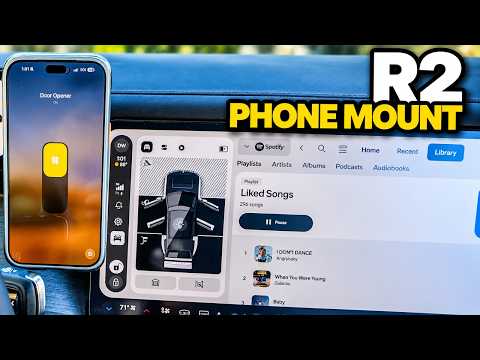
The tight space behind the Rivian R2's screen makes mounting a phone trickier than on any Tesla, yet the EVBase Rivian R2 mount still delivers a rock-solid hold.
Quick Verdict
After installing the EVBase Rivian R2 MagSafe phone holder myself, I rate it 8/10. It sticks permanently thanks to the curved 3M plate and adjustable ball joint, but the narrow gap behind the display limits how far you can angle the arm. If you want a clean, wireless-charging-friendly option without drilling, this is currently the best dedicated solution.
Why Phone Mounts Matter More in the R2
Unlike Tesla's flat dash layout, the Rivian R2 packs everything into a compact center stack. That means your phone can't just sit on a vent or console lip. A proper Rivian R2 phone mount EVBase solves the safety issue of holding your phone while driving, especially on longer trips where navigation and music control matter.
EVBase Rivian R2 Mount Review: What's in the Box
The kit includes an alcohol wipe, extra adhesive rings, the curved back plate with 3M tape, the adjustable arm with ball joint, and the MagSafe ring. Everything feels premium, and the instructions are clear enough that I finished the job in under ten minutes.
Rivian R2 Accessories Installation Step-by-Step
First I cleaned the back of the screen with the supplied alcohol pad. The screen curves in two directions, so the flexible back plate is a smart design choice. I peeled the 3M liner, pressed firmly for 30 seconds, and let it cure for an hour before adding the arm. The ball joint clicks in securely and stays put even over rough roads.
Once the base was set, I attached the MagSafe ring and tested both portrait and landscape positions. The arm extends just enough to clear the steering wheel view while keeping the phone within reach.
Rivian R2 vs Tesla Phone Mount Comparison
On my Model Y the Jowua vent mount sits in open space and offers more tilt range. The Rivian R2's tighter packaging forces the EVBase unit higher and closer to the screen. Still, the magnetic hold is identical, and the Rivian-specific plate accounts for the curvature that a generic Tesla mount would never match. If you're cross-shopping, read my full breakdown here: https://www.denniscw.com/blog/rivian-r2-vs-model-y-45k-value-comparison.
Pros and Cons
| Aspect | Pros | Cons |
|---|---|---|
| Installation | 10-minute job, alcohol wipe included | Needs 1-hour cure time before full use |
| Adjustability | Ball joint rotates 360°, arm extends | Limited clearance behind screen |
| Hold Strength | Strong 3M tape on curved surface | Not removable without replacing adhesive |
| Compatibility | Works with MagSafe and rings for Android | Best with thinner cases |
| Aesthetics | Low-profile once installed | Sits higher than ideal for some drivers |
Daily Driving Impressions
After a week of use the phone stays locked even on washboard roads. Wireless charging works fine through the MagSafe ring, and I can still reach the screen controls without the mount blocking anything. The only small gripe is that very tall drivers might want the arm a touch longer, but the current length works for most.
Who Should Buy the EVBase Rivian R2 Mount
Anyone who values a clean, wireless setup and already owns MagSafe accessories will love it. If you frequently switch phones or want something removable, consider a vent clip instead. For permanent, OEM-looking integration this is the one.
Final Verdict
The Rivian R2 phone mount EVBase earns a strong recommendation. It solves the biggest complaint owners have about phone placement in the R2, installs cleanly, and feels built to last. Pair it with the console organizer I reviewed here https://www.denniscw.com/blog/rivian-r2-console-organizer-tw raps-review and your cabin stays clutter-free.
Watch the full install and driving test on YouTube: https://youtube.com/watch?v=UlO3fmBYGGA
Some links are affiliate links that support the channel at no cost to you.