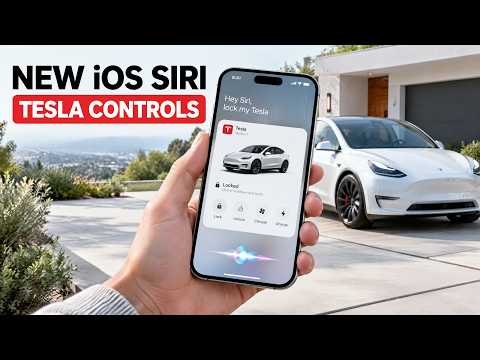
Apple just rolled out Siri Tesla controls iOS in the latest update, letting you check battery levels, lock doors, or activate climate control hands-free.
The announcement
iOS 27 Tesla features now include direct Tesla Siri integration. After updating, owners toggle settings in the Siri menu, enable "Learn from this app" for the Tesla app, and start issuing voice commands. Examples include opening the frunk, engaging Sentry Mode, or switching to Dog Mode.
How it actually works
This builds on existing Tesla app shortcuts Siri users already created through the Shortcuts app. The difference is native support that removes manual setup for basic actions. You speak naturally and iOS handles the rest, which feels smoother than building each automation yourself.
What this means for Tesla owners
Control Tesla with Siri from anywhere your iPhone can hear you. No need to open the app while driving or when your hands are full. The integration stays secure because it pulls from the same authenticated Tesla app connection you already trust.
For deeper customization I still rely on shortcuts, but the new voice layer makes daily tasks faster. If you want the full setup guide, check my post on iOS 27 Tesla features.
One more way to improve the drive
While software updates like this keep improving the experience, physical accessories still matter. Jowua Tesla accessories — phone mounts, center consoles, and more offers reliable phone mounts that hold up during Full Self-Driving.
Bottom line
Siri Tesla controls iOS is a welcome step forward that makes Tesla ownership even more convenient. Update to iOS 27, enable the toggles, and start testing the commands. The more Apple and Tesla work together, the better it gets.