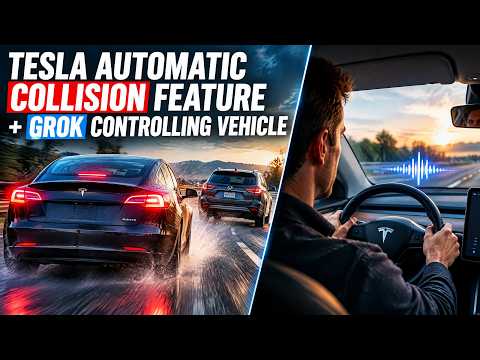
Tesla FSD automatic collision avoidance just proved itself by reactivating Full Self-Driving at the exact moment a driver accidentally disengaged it, preventing a sidewalk crash on an older Model 3.
Quick Verdict
This fsd 14.3.10 collision feature turns a potential disaster into a non-event. Combined with tesla fsd reactive reactivation and early tesla grok navigation integration, it shows Tesla is already shipping safety tools that feel like science fiction.
The Collision Avoidance Test
In the video, Spencer deliberately cancels FSD right before a tight turn that would have sent the car onto the sidewalk. Within seconds tesla fsd automatic collision avoidance detected the danger and re-engaged autonomy on its own. The car completed the turn safely without any driver input. Watching the screen pop up a new message confirming reactivation gave me chills.
I wrote more about the same system in action here: https://www.denniscw.com/blog/tesla-fsd-collision-evasion-feature-in-action
Reactive Reactivation Explained
Tesla calls the new behavior tesla fsd reactive reactivation. If the system thinks you are about to hit something because FSD dropped out, it simply turns itself back on. The test was run on hardware 3 hardware in a pre-refresh Model 3, proving the feature is not limited to the latest cars.
Grok Navigation Integration
Later in the clip Spencer shows off tesla grok navigation integration by adding a custom tesla grok pull over command through voice. Grok instantly created temporary waypoints, executed a right turn, then switched to a left turn when told to cancel the first request. The whole process took seconds and the original route returned automatically once the detour finished.
You can read my full breakdown of the 14.3.10 build here: https://www.denniscw.com/blog/tesla-fsd-14-3-10-update-review
How It Actually Works
The Grok side appears to be a clever connector layer that feeds waypoints into the native navigation stack. It is not full vehicle control yet, but it is already useful for on-the-fly route changes without touching the screen.
Pros and Cons
| Aspect | Pros | Cons |
|---|---|---|
| Safety | Automatic re-engagement prevents crashes | Still depends on camera visibility |
| Grok Commands | Fast natural-language turns | Currently feels like a hack |
| Hardware Compatibility | Works on older HW3 cars | No word yet on HW2.5 support |
| Future Potential | Points to true Grok vehicle control | Needs more real-world testing |
Final Verdict
Tesla FSD automatic collision avoidance plus tesla fsd reactive reactivation already deliver meaningful safety gains today. When you add the early promise of tesla grok navigation integration and the tesla grok pull over command, it is clear the car is becoming a true conversational co-pilot. If you have FSD, update to 14.3.10 and try the reactive test yourself. The future is closer than it looks.
Some links are affiliate links that support the channel at no cost to you.