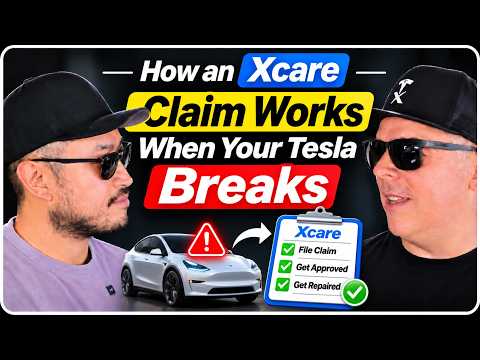
Your Tesla Model 3 Breaks Down After Buying XCare — Now What?
Imagine buying a 2022 Tesla Model 3 and adding the top-tier XCare protection plan. Six months later, something fails. The Tesla XCare claim process is designed to keep things simple, but knowing exactly how XCare handles Tesla claims makes all the difference.
I walked through the entire flow with the XCare team so you can see what filing XCare protection claim actually looks like in practice.
Step 1: File Your Claim on the XCare Website
The first move is always digital. Head straight to the XCare site and submit your claim details before doing anything else. This starts the Tesla XCare claim process and lets them review coverage right away.
No phone calls or paperwork at this stage — just upload the basics about the issue.
Step 2: Book Your Tesla Service Appointment
Next, open the Tesla app and schedule service directly with Tesla. You do not need special XCare-approved shops; Tesla centers handle the work under Tesla Model 3 XCare coverage.
The team confirmed this keeps everything straightforward — you stay inside the Tesla ecosystem you already know.
Step 3: Get the Invoice and Send It Over
Once Tesla finishes the repair, they send you the bill. Forward that invoice to XCare. They review it against covered components and approve the XCare warranty claim Tesla side.
From there they either pay Tesla directly or reimburse you if you covered it yourself to rack up credit card points.
How XCare Handles Tesla Claims in Real Time
The whole system is built to reduce friction. You never have to chase multiple parties. XCare coordinates payment after Tesla completes the work, which is why the Tesla XCare claim process feels smoother than traditional extended warranties.
They are also rolling out in-app payments with an XCare card soon, making filing XCare protection claim as easy as tapping in the Tesla app.
Pro Tips for a Smooth Tesla XCare Claim Process
- Always file the claim on the XCare site first — skipping this step can delay reimbursement.
- Use the Tesla app for service so records stay clean and tied to your vehicle.
- Keep photos of any warning lights or issues before service; they help speed up how XCare handles Tesla claims.
- If you paid out of pocket, send the invoice the same day to avoid any processing lag.
For more background on whether the plan itself is worth it, check my full breakdown here: https://www.denniscw.com/blog/tesla-extended-warranty-worth-it-xcare-review
Bottom Line
The Tesla XCare claim process is straightforward once you know the three steps: file online, service at Tesla, submit the invoice. Tesla Model 3 XCare coverage is meant to protect you without extra hassle, and the upcoming app payment feature should make it even easier.
Watch the full video for the exact conversation: https://youtube.com/watch?v=VXXq_m2opJE
Some links are affiliate links that support the channel at no cost to you.