Tinting Our Brand New Tesla Model Y Performance: Best Shades for UV, Heat Rejection & Privacy
Hey everyone, DennisCW here! We just picked up our shiny new Tesla Model Y Performance yesterday, and the very first stop? Getting it tinted. Not just for that sleek look (though it does look killer), but for survival in sunny California. No joke—driving without tint here gives me headaches from the relentless sun, even with sunglasses.
In this post, I'll walk you through the entire experience at OC Tint Solutions, why I tint every single Tesla I own, the materials I swear by, common pitfalls to avoid, and the perfect shade combo for the Model Y Performance. Let's dive in!
Why Tint Your Tesla Model Y? The Top 3 Reasons
Teslas have tons of glass— panoramic roof, huge windshield, expansive side windows. While Tesla improved the roof glass for better heat management, the rest still needs help. Here's why tint is a must:
- UV Protection: Blocks harmful rays to protect your skin, interior (especially that white vegan leather), and prevent fading. My wife insists on this!
- Privacy & Security: Keeps prying eyes out—perfect for stashing gear in the trunk without advertising it.
- IR/Heat Rejection: Ceramic tints reject infrared heat, keeping the cabin cooler without cranking the AC.
 All that glass means you need serious protection.
My Early Mistakes: Don't Cheap Out on Tint
I used to think tint was just about shade and privacy—$100-200 job done. Wrong! Cheap dye-based tints:
- Turn purple over time.
- Offer zero UV/IR protection.
- Blur your view like a foggy windshield (one shop ruined my first Model 3 for $200).
Lesson learned: Invest in premium ceramic tint like 3M Crystalline or Ceramic IR. It's pricier upfront but crystal clear, lasts forever, and delivers on performance.
The Model Y Tinting Dilemma: Matching Factory Shades
Model Ys have factory privacy glass on the rear sides and hatch—darker than the fronts. Mismatch it, and your car looks patchy. Plus:
- White interior brightens everything, so go darker.
- Front windshield needs light tint (legal & safe).
- California sun demands max protection.
OC Tint Solutions has tinted my 10th Tesla (including my last Model Y). They nailed the formula:
| Window | Tint Shade | Why? |
|---|---|---|
| Front Windshield | 50% | Light for visibility/legal, but adds UV/heat block. |
| Front Sides | 15% | Dark for privacy/heat, contrasts factory rear nicely. |
| Rear Sides | 50% | Matches factory glass perfectly. |
| Rear Hatch | 35% | Extra UV/privacy layer over factory tint—hides trunk contents. |
Pro Tip: Shops experienced with Teslas know how to handle the frameless doors and massive glass without bubbles or peeling.
The Tinting Process at OC Tint Solutions
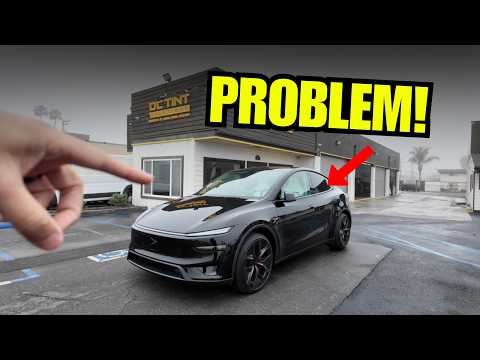
Dropped off the black Model Y Performance on a foggy morning (perfect timing, right?). Brian, the shop manager, prepped it:
- Disassemble panels.
- Clean meticulously.
- Apply 3M Ceramic tint.
- Reassemble & quality check.
Took a few hours. Bonus: Another Quicksilver Model Y Performance pulled up—perfect for a before/after comparison!
 Black tinted vs. stock Quicksilver—night and day!
The Results: Cooler, Safer, Sleeker
Post-tint, the Model Y feels transformed. No more sun headaches, interior stays pristine, and it looks aggressive. The Quicksilver comparison highlighted how stock glass glares vs. our pro setup.
Total cost? Worth every penny for quality of life. Deliveries are ramping up—Tesla's everywhere!
Final Thoughts
If you're in SoCal (or anywhere sunny), tint your Tesla ASAP. Hit up a Tesla-savvy shop like OC Tint Solutions, spec 3M Ceramic, and match those shades perfectly. Questions on shades for other models or colors? Drop a comment!
Watch the full video here. Like, subscribe, and hit notifications for more Tesla mods!
-DennisCW